The problem we were solving
Students at the University of Arizona had a fundamental challenge: they struggled to connect meaningfully with their assigned academic advisors. The friction points were numerous and systemic. Many students didn't even know who their advisor was. Those who did struggled to find availability or understand how long walk-in appointments would take. When meetings did happen, there was little continuity—minimal communication or follow-up to sustain the advising relationship.
Advisors faced their own barriers. They lacked efficient tools to manage student interactions, coordinate their schedules, or maintain meaningful records of student conversations. For a university, this meant something far more serious than inconvenience: it directly impacted student retention and timely degree completion. The problem was both a student experience issue and an institutional one.
The ask: Design and build a web application—seamlessly integrated with Salesforce—that makes it simple for students to find their assigned advisor, view actual availability, and book an appointment in a single workflow, while giving advisors and administrative staff the tools they needed to manage their calendars, notes, and student queues effectively.
Designing for dual audiences
The Appointment Scheduler needed to serve two fundamentally different user bases with distinct needs. Primary users were undergraduates and graduate students seeking to book time with advisors—students who wanted simplicity and speed. Secondary users were the advisors and administrative staff themselves, who required control over their time, insights into their interactions with students, and administrative power to manage queues and notes.
A single interface couldn't serve both groups. The design challenge became creating two complementary experiences that, while separate, remained seamlessly connected. This architectural decision would shape everything that followed.
Understanding the lived experience
Before sketching a single screen, we invested in understanding how students and advisors actually worked together. Our research approach combined multiple methods to surface both the practical friction and the emotional dimensions of the advising relationship.
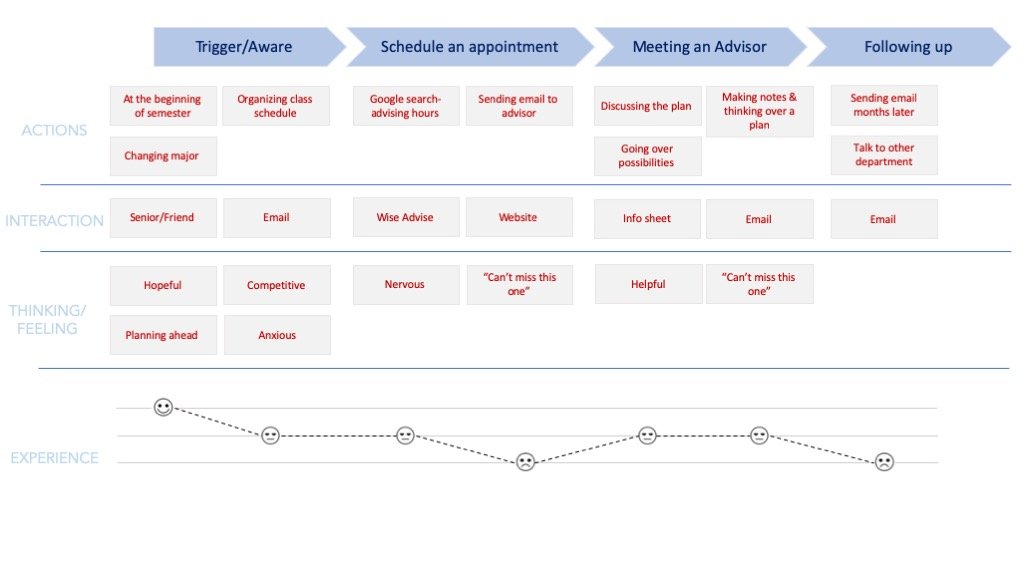
What students and advisors actually told us
From research to wireframes to prototypes
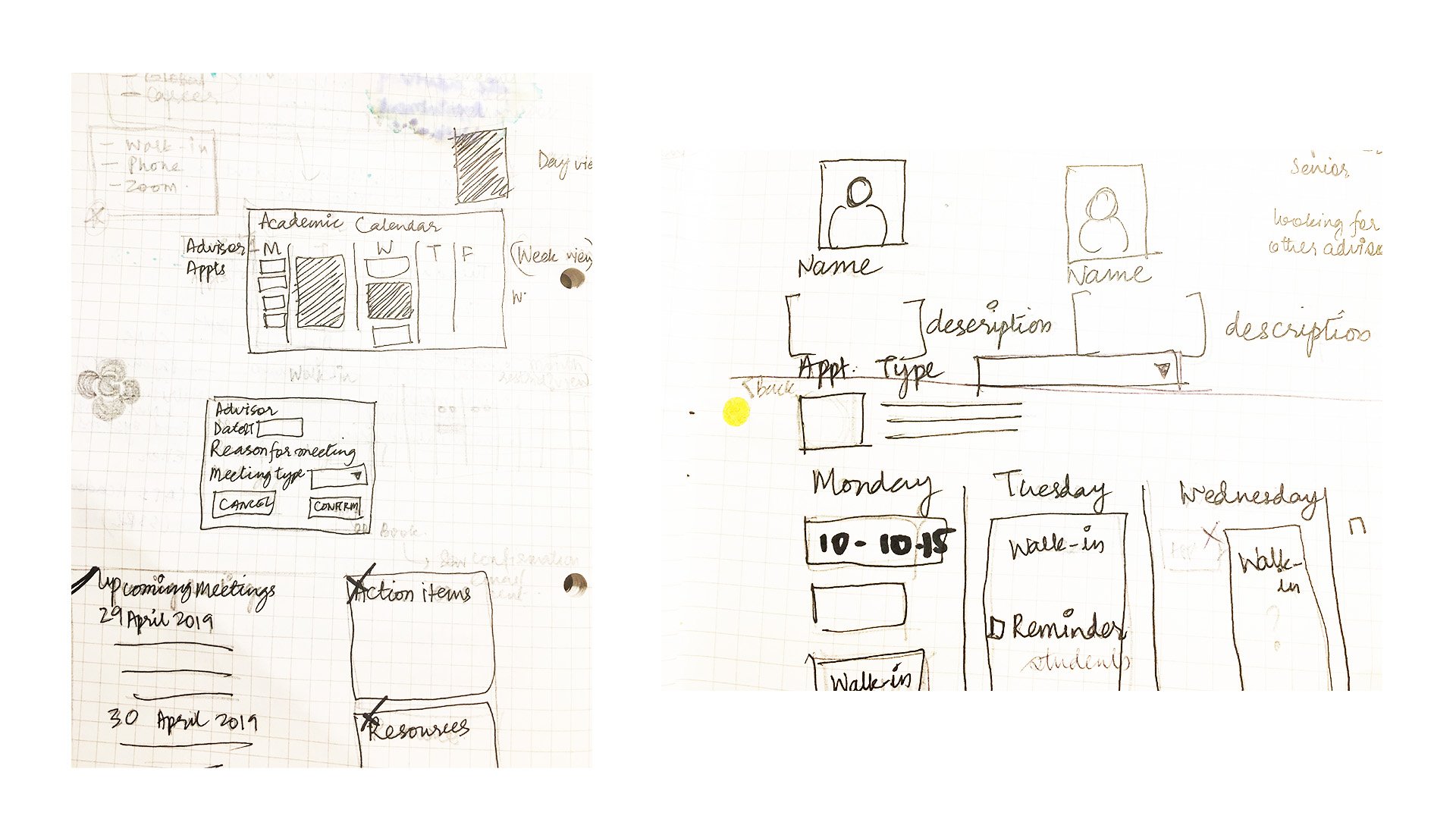
Armed with research insights, we began translating friction points into design solutions. We started with task flow diagrams—mapping every step a student would take from discovering their advisor through booking, and every step an advisor would take managing their calendar.
Initial sketches were rapid and collaborative, keeping the team aligned early. We then adapted design patterns from the University of Arizona's branding guidelines and color palette to ensure the product felt native to the institution. High-fidelity mockups followed in Sketch, which we prototyped in Axure for click-through testing with actual users—both students and advising staff. For the handoff to developers, we created comprehensive Sketch libraries and design systems documentation to ensure consistency across web and mobile implementations.
Key design principle: Pre-filling the appointment form with student and advisor information proved to be a far bigger usability win than visual polish. Reducing booking from a multi-step form to a single confirmation action changed everything about how students engaged with the system.

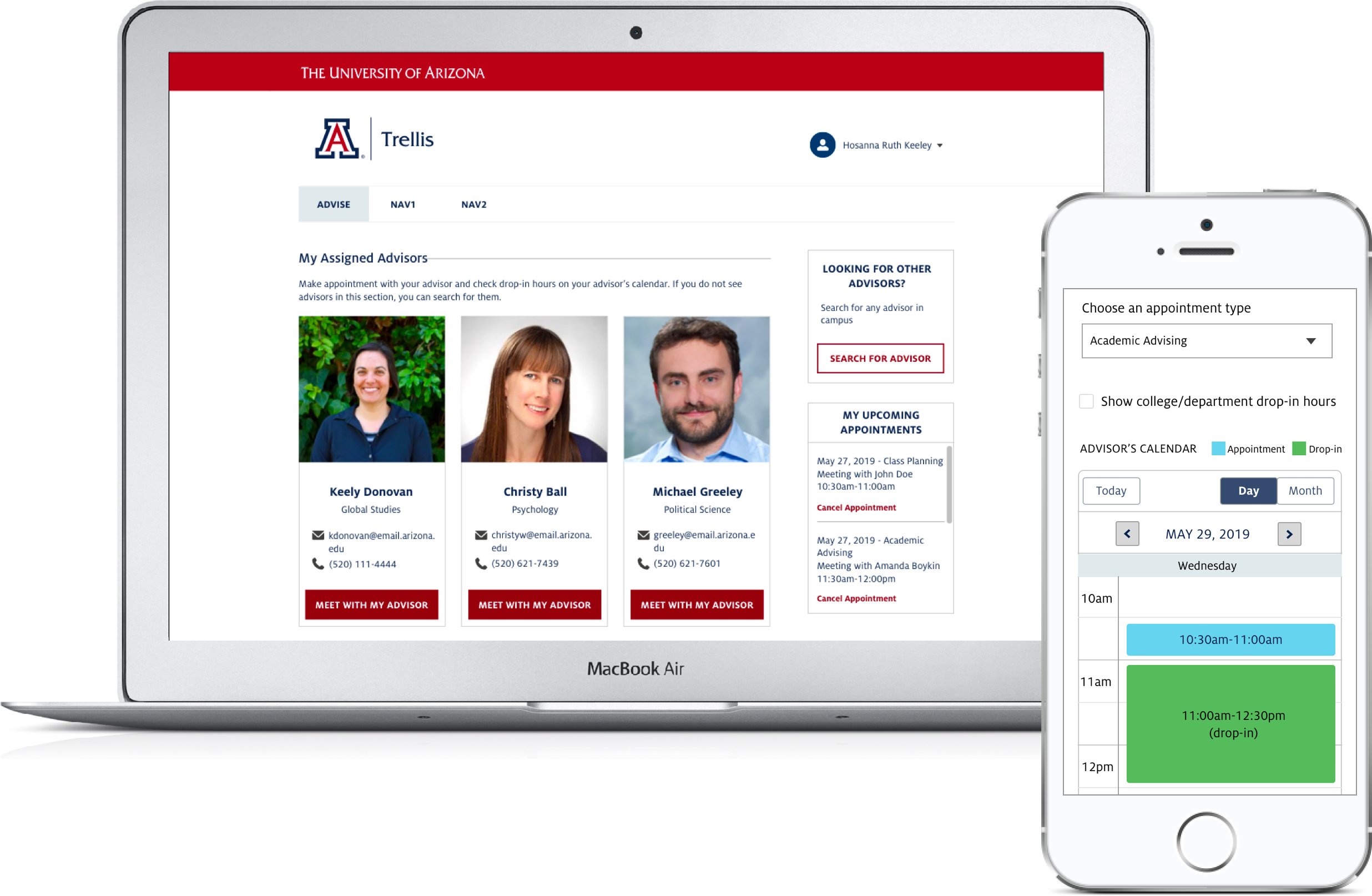
What we built
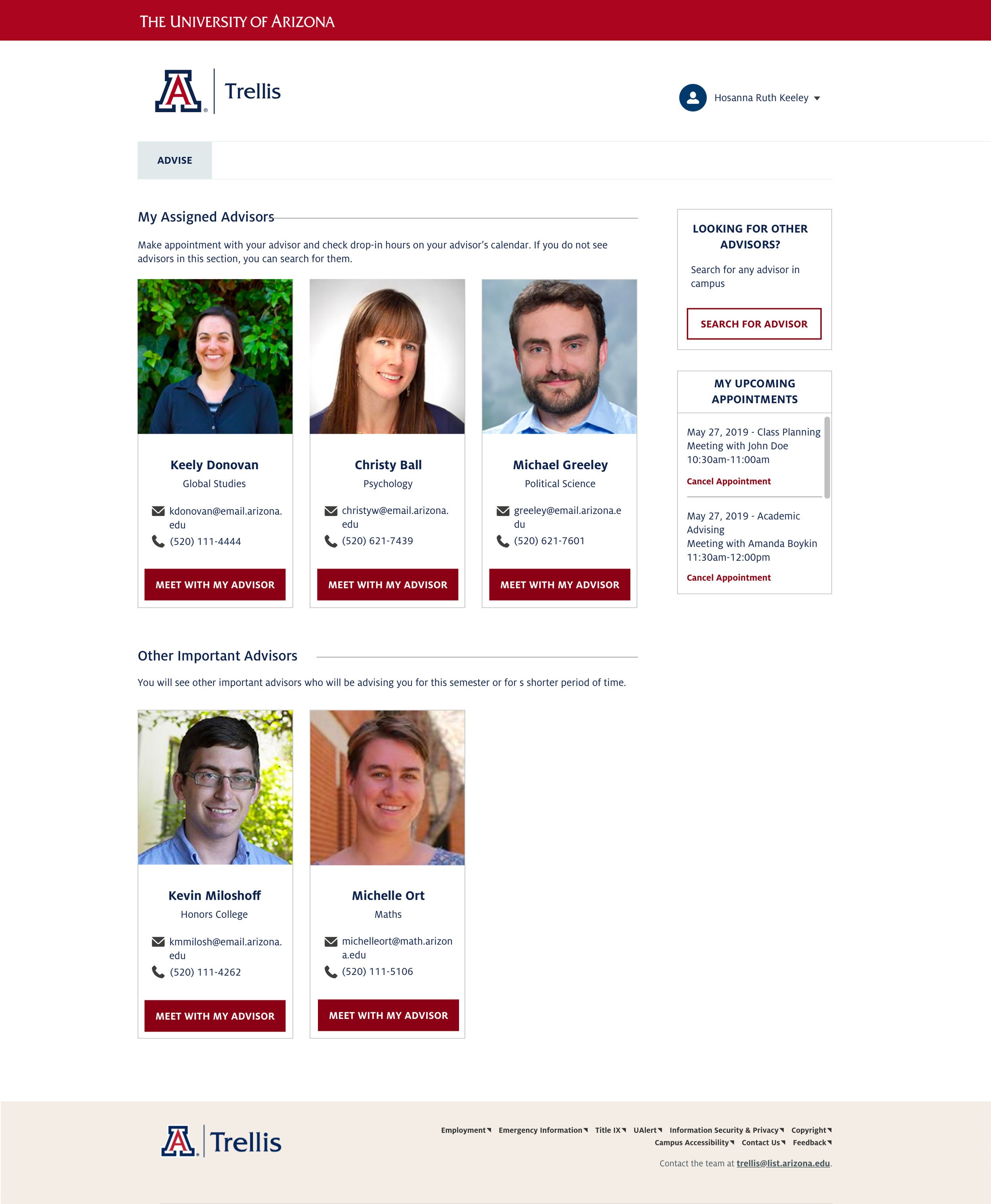
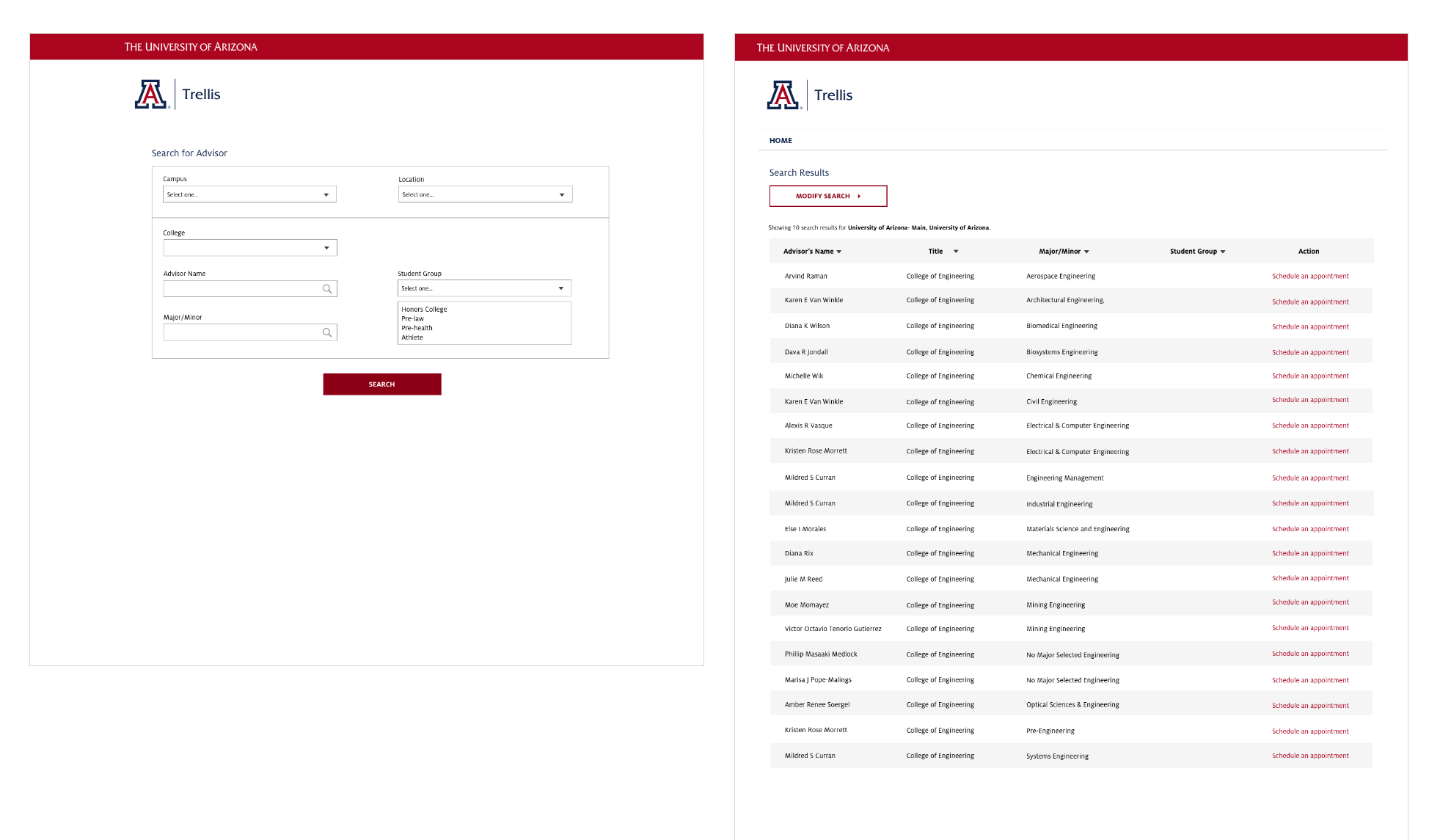
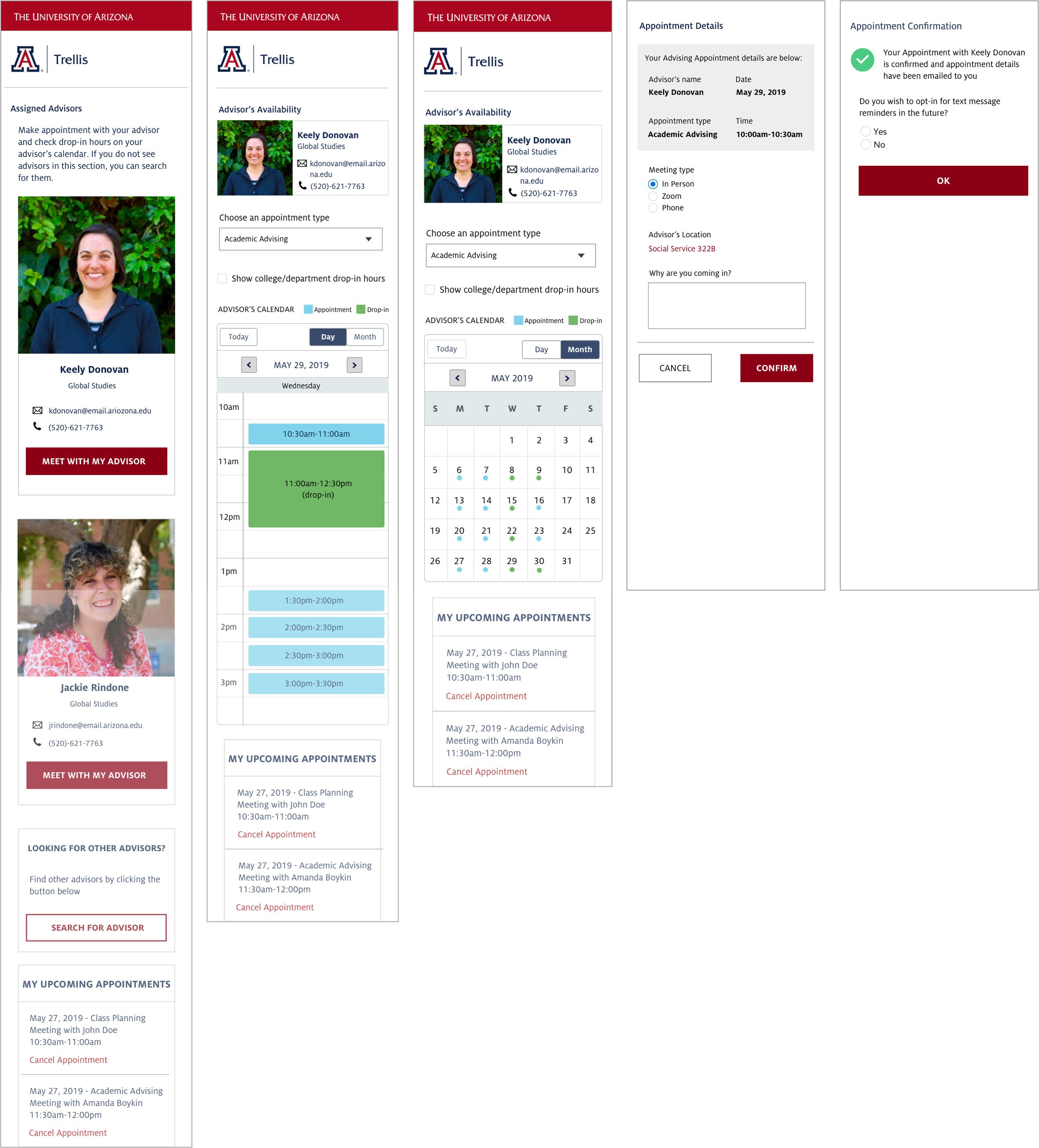
Assigned Advisors View
- All assigned advisors displayed upfront
- Sorted by interaction history for relevance
- View future appointments at a glance
- Access past advisor notes instantly
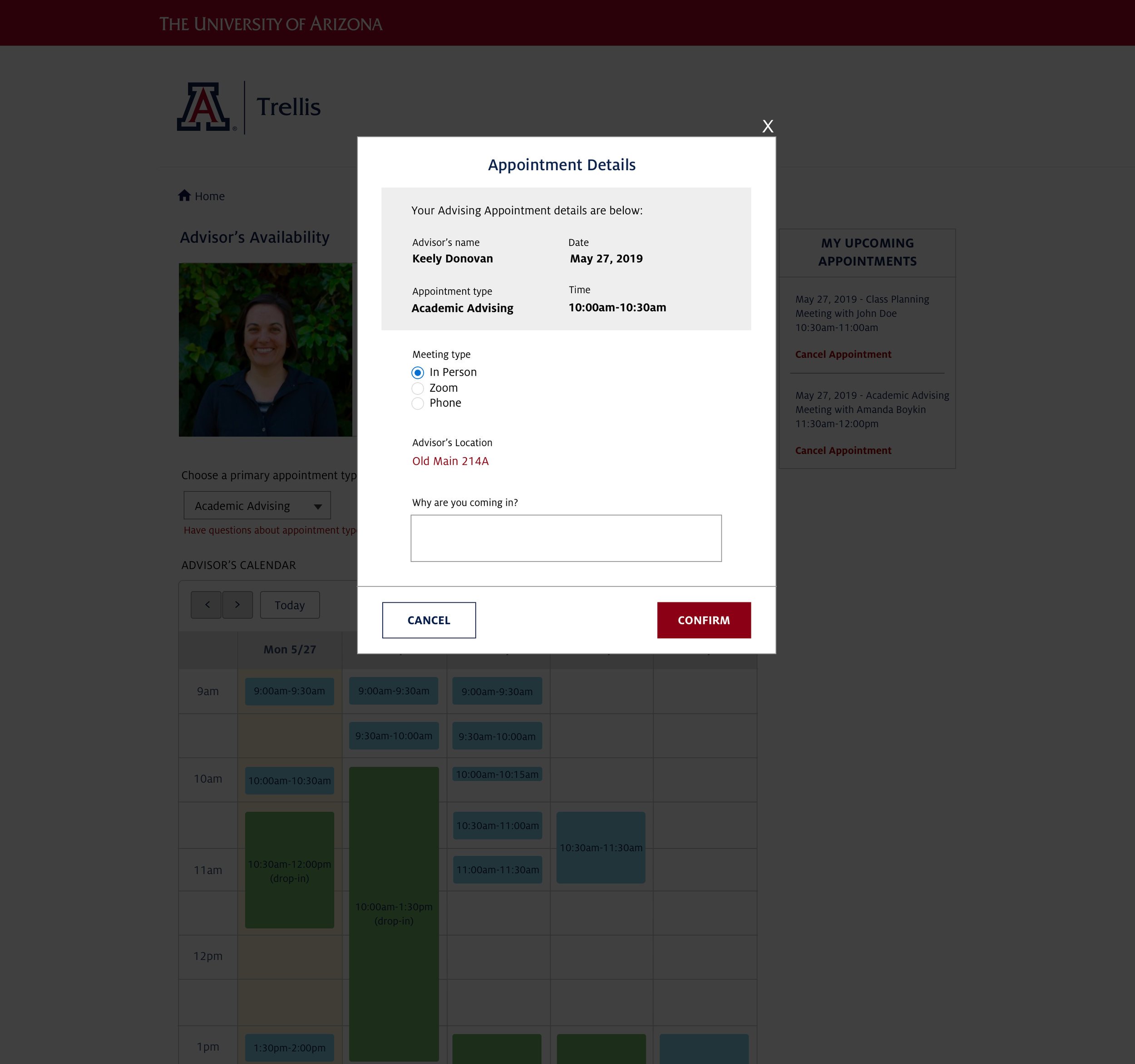
Simplified Appointment Form
- Pre-filled with student and advisor details
- Booking reduced to a single confirmation
- Support for appointment type selection
- Optional reason/notes for context
Availability Calendar
- Day, week, or month view options
- Real-time availability from advisor calendars
- Drop-in hours clearly visible
- Wait time estimates where applicable
Responsive Design
- Fully responsive across all screen sizes
- Mobile-optimized booking flow
- Touch-friendly calendar interactions
- Works on older devices commonly used by students
Advisor Management Tools
- Calendar and availability management
- Student interaction notes and history
- Queue management for walk-ins
- Attendance tracking and reporting
Post-Appointment Experience
- Advisors can document meeting notes
- Students receive appointment reminders
- History of past meetings visible to both
- Easy rescheduling if needed
What the tool delivered
The Appointment Scheduler launched in 2019 and has been live and actively used ever since. The adoption metrics tell the story: over 48,000 appointments have been scheduled through the system, with more than 7,000 active student users relying on it each year. What began as a solution to a discrete advising problem became critical infrastructure supporting student success across the institution.
Students report that the tool is straightforward and simple. Advisors describe it as genuinely helpful for managing their time and maintaining continuity in advising relationships. Most importantly, the system is supporting improved outcomes—better student-advisor relationships, which in turn contribute to student retention and timely degree completion.
Adoption & Usage
- 48,300+ total appointments (2020 Annual Report)
- 7,000+ active student users annually
- Used across colleges and departments
- Live and active for 5+ years
User Feedback
- Students find the tool simple and straightforward
- Advisors report time savings
- Reduced confusion about advisor assignment
- Improved communication continuity